You must be 18+ to visit this website
The content on this website is AGE RESTRICTED
Please confirm you are at least 18 years old of age. Otherwise leave the website.
Message

Subscription Tiers

FREE
Brothel Peeker

If you want to receive notifications when a new post is published, that's your tier.

  • Be notified when a new post is published
  • Access to public posts
57 subscribers SubscribeStar Brothel Peeker
Unlock
$6
USD monthly
Brothel Visitor

If you just want to play, that's your tier.

  • Episodes 1-3
  • Next episodes 2 months after Early Access
  • Portuguese Language Support
  • Access to Paid Members Only Polls
  • Access to Preview Images
0 subscribers SubscribeStar Brothel Visitor
Unlock
$12
USD monthly
Brothel Customer

Get access to new episodes 2 weeks before the Brothel Visitors + Walkthrough.
  • Episodes 1-3
  • Early Access: Next episodes 1 month before the Brothel Visitors
  • Walkthrough
  • Portuguese Language Support
  • Access to Paid Members Only Polls
  • Access to Preview Images
5 subscribers SubscribeStar Brothel Customer
Unlock
$25
USD monthly
Brothel Sommelier

Be the first to try the new episodes.

  • Episodes 1-3
  • Early Access: Next episodes as soon as possible
  • Walkthrough
  • Portuguese Language Support
  • Access to Paid Members Only Polls
  • Access to Preview Images
1 subscriber SubscribeStar Brothel Sommelier
Unlock
$40
USD monthly
Brothel Member

Become a VIP member and receive exclusive rewards.
  • Episodes 1-3
  • Request 1 Render including the characters in any situation you want (This Image will be available in the game's Gallery and here for all SubscribeStar supporters)
  • Access and Download 4K Renders requested by the higher tiers.
  • Early Access: Next episodes as soon as possible
  • Walkthrough
  • Portuguese Language Support
  • Access to Paid Members Only Polls
  • Access to Preview Images
0 subscribers SubscribeStar Brothel Member
Unlock
$70
USD monthly
Brothel King

Be the Brothel King and help the project even more.
  • Episodes 1-3
  • Request 3 Renders OR Posters including the characters in any situation you want (These Images will be available in the game's Gallery and here for all SubscribeStar supporters)
  • Request 1 Image from the game to be rendered in 4K (It can also be one of the images you requested from the reward above)
  • Early Access: Next episodes as soon as possible
  • Walkthrough
  • Portuguese Language Support
  • Access to Paid Members Only Polls
  • Access to Preview Images
0 subscribers SubscribeStar Brothel King
Unlock
$100
USD monthly
Brothel Owner

If you're a HUGE fan of this project and want to help as much as possible, that's your tier.

  • Episodes 1-3
  • Request 3 Renders AND Posters (6 in Total) including the characters in any situation you want (These Images will be available in the game's Gallery and here for all SubscribeStar supporters)
  • Request 3 Images from the game to be rendered in 4K (It can also be the images you requested from the reward above)
  • Early Access: Next episodes as soon as possible
  • Walkthrough
  • Portuguese Language Support
  • Access to Paid Members Only Polls
  • Access to Preview Images
0 subscribers SubscribeStar Brothel Owner
Unlock

Welcome


Displaying posts with tag DeveloperNotes.Reset Filter
Mastur Bar
Public post

Living in a Brothel v0.4.2 released

What's up, guys!
This time, I’m bringing a long-awaited update: Living in a Brothel version 0.4.2 has been released.

Even though the version number only went from 0.4.1 to 0.4.2, I feel that this numbering doesn't quite reflect the importance of this update.
In this update, the game incorporates significant changes originally planned for v0.5.0; however, due to the complexity of these updates, combined with the long gap since the last release, I decided to launch this version earlier.
This allows me to focus solely on creating new content moving forward.

I’ve named this version "The Transformation Build" because it fixes issues that had plagued the game since its initial release, problems it had carried from the very start, while also implementing long-planned features that hadn't yet been added.
We can say this version paves the way for the game's final release.

As always, it first will be available to our $25 or higher supporters; after 1 month of release, it'll be available to our $12 supporters; and finally, after 2 months, it'll be available to all supporters and everyone who purchased the game on Steam, Itch and OppaiMan.

Although most of the changes relate to new features, we also decided to include the first hour of Episode 5 so you can get a taste of the new content to come.
I strongly recommend playing again from the beginning, as a lot has changed throughout the game, so the experience will be different from v0.4.1.

With the introduction out of the way, let's take a closer look at all the changes in this version, topic by topic:


New Content:

The game received the following in terms of new content:

  • 97 New Renders
  • 43 New Animations
  • 2 New Gallery Images
  • 2 Gallery Images Remade
  • 1 New Scene
  • 7 New Songs
  • 39 Songs Rearranged

Despite the limited number of new renders, most of the work went into animations, creating the experience of an almost entirely animated sex scene.


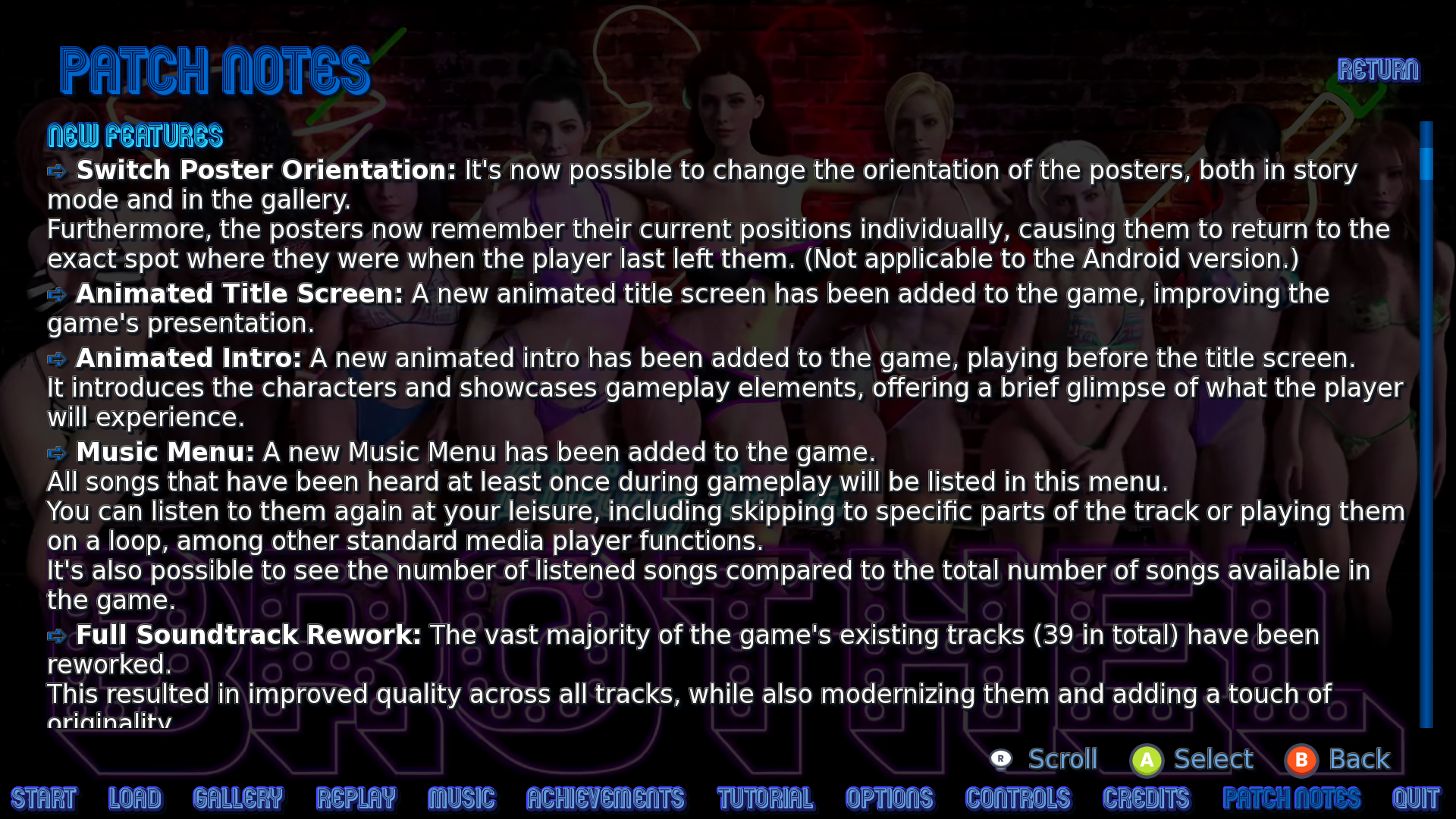
Switch Poster Orientation:

You can now switch the poster orientation, both in Story Mode and in the Gallery!
Plus, posters now remember their positions individually, so they’ll always return to the exact spot where you left them last time.
(Not applicable to the Android version.)


Animated Title Screen:

An Animated Title Screen has been added to the game!
It brings more life and improves the overall presentation right from the start.


Animated Intro:

A brand new Animated Intro has been added!
It now plays before the title screen, introducing the characters and showcasing some gameplay elements, giving you a nice little preview of what’s to come.


Music Menu:

All songs you’ve heard at least once during gameplay are now listed there.
You can replay them whenever you want, skip to specific parts, put them on loop, and enjoy all the usual media player functions.
You can also check how many songs you’ve already listened to compared to the total number available in the game.
Perfect for when you want to chill and enjoy the soundtrack!


Full Soundtrack Rework:

A total of 39 existing tracks have been reworked from the ground up.
The result is much higher quality, a more modern sound, and a touch of originality that makes everything feel fresh.
The soundtrack now has that unique Living in a Brothel vibe we wanted!


Native Gamepad Support:

Added Native Gamepad Support to all PC versions.
The game no longer depends on the Steam API.
That means you get full controller support no matter which store you bought the game from.
Great for those who prefer playing with a gamepad.
(Not applicable to the Android version.)


Full Controls Overhaul:

Every screen in the game was reworked to support direct gamepad controls. The same commands also have keyboard buttons, and some of them have even mouse buttons.
Now the game has three control modes: Gamepad, Keyboard, and Mouse. It automatically switches the on-screen buttons in real time based on your last input, so you can jump between them seamlessly.
I also added different icon sets (Xbox, PlayStation, Nintendo, Steam, and Generic) so the buttons on screen match your controller as close as possible. You can freely switch between them.


Backend Overhaul:

I did a full Backend Overhaul on all the game's screens.
Cleaned up, optimized, and simplified a ton of the code.
large number of bugs were fixed across the game, from small annoyances to serious game-breaking ones.
Overall much more stable now.


General Design Changes:

I've made several Design Changes to make the game clearer and more intuitive.
Some menus that used to be buried inside others are now directly accessible from the Main Menu.
You can now cycle freely between the first and last pages on certain screens for faster navigation.
Button alignment was improved across multiple screens.
And I added outlines, composed of lights, shadows, and depth, to labels and text.
This makes everything much easier to read, whether on light or dark backgrounds.


Tutorials Overhaul:

The tutorials were redesigned to fit the new gamepad support and updated with all the latest features in the game.
The elements shown in the tutorials now update dynamically, so they automatically adapt if screens change in the future.
Some tutorials that used to be combined (like Gallery and Achievements, or Replays and Tutorials) are now separate and independent.
I also added new tutorials for features that didn’t have proper explanations before, making it easier for new players to learn the game.
Much better and clearer now.


Episode 5 Introduction:

I've added the first hour of Episode 5 early.
This includes the opening dialogue with Lara and an intense sex scene with Beatrice.
It gives you a good taste of what’s coming in Episode 5.


I know this turned out a bit long, but it shows the significance of this update.
I hope you appreciate the new version 0.4.2 and make the most of it while I work on the new content for Episode 5.

Download: https://subscribestar.adult/posts/2547278

That's all for today, folks!
Enjoy! 🍻
Like(4)
Comments  loading...
Sign Up or Log In to comment on this post
Mastur Bar
Public post

Demo v0.1.9 + Tutorials adapted to Android version

What's up, guys!
Today I bring you a much-needed update: Demo v0.1.9 (New version), and the tutorials finally adapted for the Android version of the game.
Since there are two different subjects to be addressed in the same post, I'll separate them into topics.


Demo v0.1.9

The main focus of development is on the new paid versions, as I know you are eager for new content, however, this time, I was forced to create a new version for the Demo due to changes in the backend code of version 0.5.0.

As you know, the Demo was designed so that the player of the free version can play the first episode and, if they like the game, they can buy and continue playing the paid version from where they left off.

Due to bugs, I had to change how Replays work, completely altering the code behind it. If I kept the same Demo (v0.1.8), the old Demo code would conflict with the new code of the paid version under development (v0.5.0), making it impossible for the player to continue where they left off. That's why I need to create a new version for the Demo as well.

Throughout the development period of v0.5.0, many bugs were found and fixed on various screens of the game. These bugs were also present in Demo v0.1.8, so I took the opportunity to fix them as well.

Finally, since I'm creating a new Demo, I decided to include some improvements implemented in v0.5.0.
Not all improvements were included, as I decided that some features should remain exclusive to the paid version, but most of them were included in the Demo version as well so that the player can have an experience closer to the paid version on their first contact with the game.

Below I explain in detail what improvements have been added to the Demo version, let's go through them:

  • The promotional trailer for the game, which had been included as the opening for version 0.5.0, was also included in the demo, as a way to dynamically demonstrate the game's features to the player.
  • The animated Title Screen was also included in the demo, improving the game's presentation.
  • The new Original Arrangements of the songs that appeared on the previous demo (v0.1.8) have been included on this demo.
  • Title screen buttons now automatically align according to the number of buttons available on the screen. Two new buttons have been added: SubscribeStar and Oppaiman.
  • A custom cursor, in the form of a red arrow, has been added.
  • Due to significant changes in the backend code of version 0.5.0, these modifications have also been added to the new demos, in order to ensure that players who start playing the first episode through the demo and later purchase the game can continue their progress from where they left off without compatibility issues.
  • The tutorials section has been separated from the replays section, forming a new independent menu that can be accessed directly from the Navigation Menu.
  • Changes to the style of the letters and labels, automatically applying light and shadow to the outline of all of them. This improves readability when the letters are on white backgrounds.
  • Changes to the style of the Navigation Menu buttons, automatically applying new colors, light and shadow to the outline of the letters, and a new depth effect on the selected option, increasing clarity for the player.
  • Save/Load menu now features new pagination arrows next to the page number; they are larger and more stylized, making them easier to click on both PC and Android. Additionally, the page numbers in the footer update according to the current page. A limit of 99 total save pages has been set.
  • Gallery also received the new pagination arrows, with a style identical to that of the Save/Load Menu. In addition, a Completion bar was added, showing the player's current progress in relation to the total number of images available in the Demo version of the gallery.
  • Replay Menu also received the new pagination arrows, with a style identical to that of the Save/Load Menu. In addition, a Completion bar was added, showing the player's current progress in relation to the total scenes available in the Demo version. A Script Seen bar was also added, showing how much of the Demo's script the player has already read.
  • Tutorial Menu also received a Completion bar, showing the player's current progress in relation to the total tutorials available in the Demo version. The "Tutorial" tutorial was also separated from the "Replay" tutorial, each displaying only what is relevant to each menu independently.
  • Options Menu has undergone style changes, so that its options are now centered in relation to their respective labels. This results in better alignment of the available options in the Options Menu.
  • Help Menu has been renamed to Controls Menu for parity with the paid version. However, the new native controller support has not been adapted to the Demo version, remaining an exclusive feature of the paid version. It's recommended to continue using the Steam API for players who want to play the Demo version using gamepads.
  • Credits Menu and Patch Notes have not yet had their information updated, nor have they undergone major style changes, except for the new fonts and labels. This information will be updated in the future, closer to the release date.
  • The reworked tutorials have been adapted and included in the demo, taking into account the control changes compared to the paid version. These versions include the new features from Demo v0.1.9 and apply the dynamic elements to the tutorials, just like in v0.5.0.
  • I kept a total of only 6 tutorials in Demo v0.1.9, not including the new tutorials from v0.5.0 (except for the "Tutorial" tutorial), as I prefer the Demo version to be more simplified.
  • Numerous bugs found during the development period have been resolved.

These were the changes in Demo v0.1.9 compared to its previous version, Demo v0.1.8.

These modifications will allow the Demo to continue functioning properly and compatible with v0.5.0, in addition to bringing numerous improvements existing in v0.5.0, showing a version closer to what we expect in the final version to the player who is having their first contact with the game.

Demo v0.1.9 is fully completed, but due to incompatibility issues, I'll not be making it available now, as the paid version 0.4.1 is still available.
The new Demo v0.1.9 will be released along with the v0.5.0 release.

You can see the improvements from Demo v0.1.9 in action in the preview video attached to this post.
Please take a look!


Tutorials adapted to Android version

This topic refers to Android version v0.5.0.

Although the new tutorials were already done in the PC version v0.5.0 and only needed to be adapted for the Android version, this proved to be much more laborious than expected.

The Android version was created to be played via touchscreen, as it was designed for smartphones. Therefore, I decided not to include native controller support in this version.

For this reason, the dynamic button icons have been removed from the tutorials in this version, as they are not applicable, and the parts of the tutorials explaining gameplay buttons have been adapted for touchscreen controls. In addition, the "Controls" tutorial was not included in this version, as it is also not applicable to this version.

Therefore, the new tutorials and the reworked versions of the old tutorials have been adapted for the Android version, taking into account all the gameplay changes in this version.

Finally, all the tutorials (reworked and the new ones) have already been translated into Portuguese, which also applies to the tutorials in Demo v0.1.9.


The update since the last post took a while, I know, but I needed that extra time to make all the modifications presented above, given the amount of changes I needed to make not only in v0.5.0 Android but also in the new v0.1.9 Demos (PC, Steam and Android).

Although laborious, the changes made are fundamental and bring us a little closer to what I plan for the final version of the game.
I'm fixing the house's structures so that we can finally build several floors on top of it, if we can make an analogy.

With that, I can finally say that absolutely everything related to the tutorials and necessary gameplay adaptations is complete.

You can check out the preview video attached to this post to see the final result of the new Tutorial Menu, and also take a look at the new "Slot Machine" tutorial from Android version v0.5.0 to see an example of what the new tutorials look like.

I hope you enjoy the news.
That's all for today.
Cheers! 🍻


Check out the Video Preview

https://www.youtube.com/watch?v=Trb6U-SO0Dg

Like(3)
Comments  loading...
Sign Up or Log In to comment on this post
Mastur Bar
Public post

Tutorials Overhaul

What's up, guys!
Today I'm bringing you an update that's been planned for some time: the tutorials have been redesigned.

The main reason that led to the need to redesign the tutorials was the implementation of native gamepad support, but there were other reasons: the old tutorials were outdated, needing the addition of new details, some screen elements that should have been dynamic were static, there were no control buttons on the screens, the tutorials needed better adaptation to the Steam Deck, among other reasons.

The main problem is that the old tutorials basically consisted of screenshots of the menus and text describing each feature and explaining how it worked. This isn't all bad, but there were elements that needed improvement. For this reason, I recreated all existing tutorials, improving the elements that needed enhancement.

I kept the same idea of ​​using screenshots and descriptive text explaining the features and how they work, but I included dynamic elements, such as:

  • The "Completion" bar now updates the maximum value according to the maximum of each item in the game.
    Example: In the Gallery menu, there are currently a maximum of 107 images available in the game, so the maximum value of "Completion" will show 107; but, if in future updates, new gallery images are added, the value will update automatically, no longer working statically as it did in the old tutorials.
    This helps keep the tutorials future-proof, as well as keeping them consistent with the version you are playing automatically.
  • The controller buttons displayed on the screen, as well as those shown in the dialogues where the game explains their functions, are now automatically updated according to the device you last input.
    Example: Let's say you're watching a tutorial that explains that the "Mute" function in the Music menu is activated by pressing the X button (you're using an Xbox Controller). If you press any key on the keyboard, the text explaining that function will be updated in real time, now showing that this function is activated by pressing the Del key (since you're now using the keyboard).
    Of course, usually, the player will choose only one controller and play with it all the time, but I thought the ideal way to program this was to update the inputs in real time, so the tutorial explanations are always correct according to the controller you are currently using.
    This also improves the Steam Deck experience, since the game will always display the gamepad buttons (Steam Layout), given that the Steam Deck is interpreted as one.
    An interesting extra is that, with these modifications, the game is adapted to possible future console versions that may emerge, since the game already has button layouts for Xbox, Playstation, Nintendo and Steam controllers.
    Although I don't have anything planned in that regard at the moment, who knows, in the future I might be able to release a version for the Nintendo Switch, for example.
  • Other screen elements have been modified to function dynamically in the tutorial, not just as static screenshots.
    Example: in the Music menu, you can see the music duration bar updating in real time, according to the progress of the currently playing song; you can also see the sound waves dancing alongside the current music playing in the track list; you can see the "Next" and "Previous" buttons, as well as "Forward 10 Seconds" and "Back 10 Seconds," working in real time during the tutorials.
    In short, the tutorials are now more interactive, better demonstrating how each feature works for the player.
  • New tutorials have been added to the Tutorial menu, bringing the total to 12 tutorials.
    I not only revamped the old tutorials, but also took the opportunity to add new tutorials, demonstrating features that had not been adequately covered previously.
    I'm aware that there are several features in this game that are not commonly seen in other Adult Visual Novels, so I felt it was important to explain how they work within the game, so that new players don't feel lost.
    For veteran players, there is the option to disable the tutorials, skipping them entirely during gameplay, and they can watch them directly through the Tutorial menu if they still have any questions.

With these modifications, I believe the tutorials are now adequate for the game's new features, and there will be no further need to change them until the final version release.

I still need to adapt the new tutorials to the Android version, but I believe the process will be simplified, given that there is no added controller support in this version, as it was designed to be played using your mobile's touchscreen.

So the old tutorials will be kept, with only the dynamic elements added to them, as in the PC versions.
As for the new tutorials, they will simply be copied to the Android version, changing only the parts related to the controls.

Well, I know this isn't such an exciting update for players, since you always want to see new content, but this was a necessary update because it was the last adjustment I needed to make to finally have native controller support fully integrated into the game.

Despite this, I have good news for you all: this will be the last update regarding game design improvements.
From the next update onwards, I will focus entirely on new content, since everything I needed to improve in game design has finally been completed, and this is the last update I needed to finish this part of the work.

To be honest, I've been putting off updating the tutorials because I knew it would be an exhausting amount of work and it's not the kind of update you generally want to see, but I finally mustered the courage to remove this obstacle and now I've finally overcome it.

Finally, sorry for the long post, but I had a lot to explain to you.
I've also included a short video demonstrating the Music menu in its entirety so you can see the elements described throughout this post in action.

That's all for today,
Cheers! 🍻


Check out the Video Preview

https://youtu.be/RC7aspofdio

Like(3)
Comments  loading...
Sign Up or Log In to comment on this post
Mastur Bar
Public post

Full Soundtrack Rework + Portuguese Translation Update

What's up, guys!
Today I bring you a really cool update: The entire soundtrack for Living in a Brothel has been reworked and the work on the game's music is completely finished.
Furthermore, the Portuguese translation has been updated to include all content produced so far. (End of Beatrice's sex scene)
Let's take a look at each topic below.


Original Arrangements

An additional 22 songs composed by other authors received an Original Arrangement made exclusively for the game Living in a Brothel.
I had already published in a previous post that 19 songs composed by other authors had received an Original Arrangement. You can check it out here: https://subscribestar.adult/posts/2198278

Furthermore, I also composed 14 original songs exclusively for this game.
12 of the original songs can be found in the same post above, in addition to the songs below which were posted in different posts:

  1. It's Party Time - Mastur Bar: https://subscribestar.adult/posts/2225799
    2. I'm Not Understanding - Mastur Bar: https://subscribestar.adult/posts/2262127

The final result consists of 41 Original Arrangements of songs composed by other authors plus 14 Original Songs, resulting in a total of 55 songs made exclusively for this game.

I've used music composed by major royalty-free music producers, such as: Kevin Macleod, Bryan Teoh, Alexander Nakarada, and Rafael Krux.
Their music is of excellent quality, but because it's royalty-free, you've probably already heard it somewhere on the internet.
Despite this, since some of the songs were created years ago, the audio quality wasn't as good as that of studio albums.

Taking this into account, I wanted to improve these aspects to deliver a professional music experience in the final product.
The first aspect I wanted to address was originality. Although the music composed by these authors is of good quality, I wanted to add my own touch to the music that would go into the final version, so that the music would carry the spirit of my game.
The second aspect I wanted to address was sound quality. I decided to create my own arrangements to deliver quality similar to professional studio albums.
My versions feature stereo audio, where you can clearly hear all the instruments in the tracks.
In addition, in some tracks I included my own unique instrument combinations, solos, and musical phrases to ensure the exceptional and unique sound quality I sought for the final version of the game, as I know the importance of music in creating the right atmosphere for each scene in terms of keeping the player as immersed as possible.

15 songs composed by other authors were kept in their original state, as I felt that these tracks already possessed really good quality and already conveyed the desired atmosphere for the scenes in which they are played, so I decided that it was not necessary to create my own versions of them.

Considering the above, I declare that all work involving the musical aspect of the game is complete and that the soundtrack has been fully reworked.
The game will contain 70 songs in its final version.
In the Steam version, there will be 69 songs, since a scene ("Commercial") was cut to meet Steam's requirements.
I feel that, with these 70 songs, I will be able to convey the desired atmosphere for all the scenes that will be included in the game in future versions until the development of the final version.
In addition, this is a considerable amount of songs, especially when compared to other Adult Visual Novels, which often don't even have music.

You can hear a snippet of each of these 22 Original Arrangements in the video attached to this post.

The songs that received an Original Arrangement were:

  1. Dispersion Relation - Kevin Macleod
  2. Downtown Boogie - Bryan Teoh
  3. Eternity - Kevin Macleod
  4. Funky Chunk - Kevin Macleod
  5. Fuzzball Parade - Kevin Macleod
  6. Hep Cats - Kevin Macleod
  7. Hold on a Sec - Bryan Teoh
  8. Honey Bee - Kevin Macleod
  9. Intractable - Kevin Macleod
  10. Jazz Brunch - Kevin Macleod
  11. Lobby Time - Kevin Macleod
  12. Matt's Blue - Kevin Macleod
  13. Mining By Moonlight - Kevin Macleod
  14. Nile's Blues - Kevin Macleod
  15. Opportunity Walks - Kevin Macleod
  16. Private Eye - Kevin Macleod
  17. Shaving Mirror - Kevin Macleod
  18. Stringed Disco - Kevin Macleod
  19. Take the Ride - Bryan Teoh
  20. Whiskey on the Mississippi - Kevin Macleod
  21. Who Likes to Party - Kevin Macleod
  22. Your Call - Kevin Macleod

You can find the timestamp for each of them in the video's comments section on YouTube.

The song "Your Call" by Kevin Macleod has been included in its entirety in the video, so you can check that the songs are perfectly loopable and seamless, so they can keep playing infinitely for as long as the scene lasts.

I hope you enjoy the final result of the soundtrack, as this is exactly what will be used in the final version of the game.


Portuguese Translation Update

I know this topic interests only a small portion of you, since the majority of the audience are English speakers, but this is a necessary step to complete before the release of the next version, considering that I also offer Portuguese language in the game's options, so let's talk a little about it.

Although most of the content so far consists of Beatrice's sex scene, it has a lot of text, since the duration from the beginning of Episode 5 to the end of Beatrice's sex scene is approximately 50 minutes of gameplay.

That's quite a lot of text, so I decided to work on translating this part right away to get it out of the way.
So please know that all the content from v0.5.0 produced so far has already been translated into Portuguese, leaving the way clear to work on new content.


Well, I had a lot of things to show you, so the post ended up being a bit long, but I hope you enjoy the news and the almost 30-minute preview video.
That's all for today,
Cheers! 🍻


Check out the Video Preview

https://www.youtube.com/watch?v=XnRp2k57HrE

Like(3)
Comments  loading...
Sign Up or Log In to comment on this post
Mastur Bar
Public post

New Feature - Story Mode Posters can switch orientation now

What's up, guys!
Today I'm bringing you some great news: Story Mode Posters can now switch orientations.

A few months ago, I implemented the ability to switch between landscape and portrait viewing modes for gallery posters.
In the case of the gallery, this was easy to implement because there are no gameplay elements involved.

Until now, I've been hesitant to implement this feature for Story Mode Posters precisely because I'm aware of all the work it would entail.
I finally mustered up the courage and now it's possible to switch between landscape and portrait modes on the Story Mode posters as well.

To implement this feature for Story Mode Posters, I had to include alternative versions (Portrait Mode) of the posters, as well as the Secret Cards and image buttons, in the case of posters that are part of the exploration section.

Furthermore, all screens accessible during Story Mode Posters have gained an alternative version, rotated 90º to adapt to the screen orientation when the player is viewing the screen vertically, namely:

  • Quick Menu: The menu located at the bottom of the screen that's available during dialogues;
  • Notify: A small screen displayed in the upper left corner that notifies you of an event that has occurred in the game, such as unlocking gallery images, replays, the names of songs being played, etc;
  • Say: It's basically the text box where the dialogues between characters are displayed;
  • Choice: The screen that displays the choices the player must make when prompted;
  • Auto-forward Indicator: A small screen appears in the upper left corner that indicates that auto-forward is enabled;
  • Skip: A small screen appears in the upper left corner that indicates that skip is activated;
  • Tooltip: A small screen displayed at the top of the screen that shows a caption referring to the object the player is interacting with.
  • Achievement: A screen displayed in the upper corner of the screen that notifies you when an achievement has been unlocked.

A unique "Orientation" mode was also defined, which is shared among all the game's posters, including those in the gallery. This way, a player who wants to set a mode and follow it until the end of the game only needs to press a button, and all the other game posters will automatically be displayed in the chosen mode.

In this mode, there are two options available: Poster and Portrait.
The Poster option works the same way posters behave in the PC latest version (0.4.1).
The Portrait option works the same way posters behave on Android (Portrait Oriented Images).

Although Android has its own version built from scratch exclusively considering how this platform works (usually available on smartphones and tablets), there are other devices that run the PC version but have the ability to rotate the screen, such as the Steam Deck, some portable consoles capable of running Steam games, such as AYN Thor, or even a traditional PC with a monitor capable of rotating the screen vertically.
This change offers an improved experience on this type of device.
Now the player has the freedom to choose the game mode in which they prefer to enjoy the experience.

Furthermore, the way the y-axis positioning of the posters works has been modified when playing on Poster mode.
Now, the y-axis positioning loads the default value for each poster individually when it is first accessed by the player.
From the second time onward, the positioning on the y-axis carries over the positioning the poster was in before the player left the poster screen.
The y-axis positioning data for the posters is saved individually, one for each poster.
These changes to the y-axis positioning of posters apply to all posters, including the ones in the gallery.

You can get a better look at how this works during gameplay by watching the video attached to this post.

Despite the considerable amount of work to make this possible, we finally have another feature implemented exactly as planned from the beginning.
We can say that version 0.5.0 is the "transformation build", in which the game is moving away from the simplicity of the initial versions, where the game only had the basic infrastructure to function, to a more complete gaming experience, in which it will be possible to play with native gamepad support, with freedom for players to explore the posters in the way they prefer, without giving up gameplay elements, in addition to the inclusion of the music mode, which complements the "Radio Director" achievement, allowing players to track their progress, and listen to their favorite music at will, especially after much of the soundtrack has been rearranged.

I have more news to share with you, but for now, I'll limit this post to presenting the new feature.
Cheers! 🍻


Check out the Video Preview

https://www.youtube.com/watch?v=9OK6G2dCk7I

Like(3)
Comments  loading...
Sign Up or Log In to comment on this post
Mastur Bar

Beatrice Sex Scene - Completed

Comments
Like(2)
Dislike(0)
Posted for $6, $12, $25, $40, $70, $100 tiers
Unlock
View next posts (6 / 46)
WE USE COOKIES

SubscribeStar and its trusted third parties collect browsing information as specified in the Privacy Policy and use cookies or similar technologies for analysis and technical purposes and, with your consent, for functionality, experience, and measurement as specified in the Cookies Policy.

Your Privacy Choices

We understand and respect your privacy concerns. However, some cookies are strictly necessary for proper website's functionality and cannon be denied.

Optional cookies are configurable. Disabling some of those may make related features unavailable.

We do NOT sell any information obtained through cookies to third-party marketing services.