

 Log in
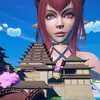
Size Changing Goblin Girls & Photo Mode Available! GSS Test Build 0.4.314
Goblin Girls + Enemy Dynamic Size System
Goblin girls have been sighted along the roads! They are the first custom enemy that uses a brand new dynamic size system. For now I've set them to spawn from .5 to 3x scale. Be careful because everything from stats and effects to animations scale with size!
The dynamic size system is foundational and is what I spent most of my time on for this update. I'm looking forward to using it in the future on many more enemies along with adding items to the game that can grow / shrink enemies during play. You will also notice a few new weapons and loot table for all enemies!
Photo Mode
Photo Mode
I've added a new Photo Mode to the pause menu so you can finally take screenshots during gameplay. I started by adding a hide HUD button (now default to H), but I thought a full photo mode would be a good addition. It is based on Cyberpunk, The Last of US Part II, God of War, and Shadow of The Colossus with many settings and even filters so you can have fun with it making a record of your journey through this world of many sizes! Make sure to try the depth of field settings to get very nice blurry backgrounds for cinematic shots!
Screenshots for the Testing build are stored in: Documents\Launcher\Apps\32\Staging\GSS\Screenshots
Aim Offset
I found it was necessary to revamp the entire melee damage detection system in order to work reliably with different sized enemies. You will notice that your character now swings their melee weapon in the direction you're looking and damage toward the center of your crosshair is much more reliable, though it does depend on that actual swing pattern of your weapon!
How to Use the Testing Environment
In the launcher, select Testing in the Environment dropdown. The Testing environment is completely separate on your computer from the Production environment and will not affect your saves or settings in any way.
Test Build 0.4.314 Patch Notes
- Added new primitive goblin weapons
- Fixed camera screen sometimes rotating 90 degrees when loading a save game
- Fixed size stone at the top of the Volcano town not resetting player size
- Added a Toggle HUD bind to the settings menu. Default key H on new saves. Current saves may need to rebind it
- Fixed a typo in the input controls that listed Move Right as Move Left
- Fixed copper ingot being being called iron ingot on mouse over in the furnace
- Fixed floating rocks and building
- Updated enemy loot tables
Upcoming Poll Preview
I've been discussing ideas over the past week with the Size Council from Giantess animations to Tiny Speck NPCs. The upcoming poll on the 5th will feature these choices and more to vote on!
I've been discussing ideas over the past week with the Size Council from Giantess animations to Tiny Speck NPCs. The upcoming poll on the 5th will feature these choices and more to vote on!
❤️ Thank you so much for your support!