

 Log in
Long time no see, folks!
If you've been here long enough, you already know about my crippling problem: building tools for the game instead of building the game. Well, it struck again. v0.2.3 was supposed to be out in September, and instead I rebuilt an entire editor on a new engine. I also went completely silent while doing it, which didn't exactly help.
So, about v0.2.3: the events are written, and I'm currently redoing the renders in the new editor. If I'm going to show you all this, the update should actually look like it.
I'm done announcing release dates before an update is completely finished. So, no release date this time. I've learned my lesson on that one.
Now let me show you what I was doing all this time.
The Engine Upgrade
Let's kick it off with the big one: I moved the whole editor to a new engine.
If you've been playing AVNs like mine for a while, you might know the tools behind them. The one behind my visuals, CharaStudio, runs on a version of Unity from 2019, and it shows. For a long time I patched over that. Remember the custom shaders I built because the old ones ignored every light after the third? Or the ReShade bridge from the last dev blog, built just to sneak information past the engine? All of that was me working around the engine instead of with it, and every fix was one more thing that could break the next one.
At some point I had to admit it: for what I have planned, I need full control over how characters are lit, how the sky and water look, how bodies move, and how the final image is captured. You don't get that by stacking another plugin on top. So, like any normal person making a visual novel, I spent an unhealthy amount of time moving the whole of CharaStudio to Unity 6.
Meet CharaStudio 6.

It's my own unofficial rebuild (the 6 is for Unity 6), a personal tool for making this game. The editor itself won't be publicly released.
In simple terms: the editor now runs on Unity 6, renders through DirectX 12 and Unity's modern render pipeline, and everything I'm about to show is built into the editor itself instead of being bolted on. And the important part: my existing scenes and characters still load, and so do the roughly 5,800 community mods I rely on. Starting from scratch was never an option.
The World
Starting with the biggest visible change and, honestly, the weakest part of my old renders: the island itself.
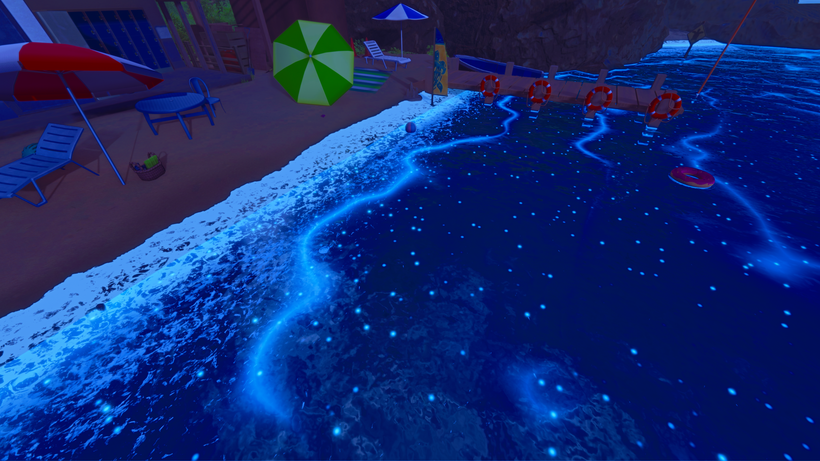
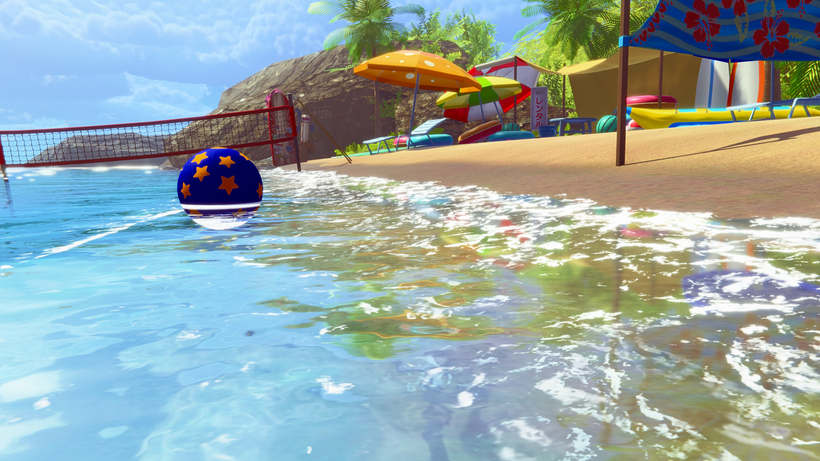
Take a look at the beach from the game. The sky is a fixed picture, the sea is a flat turquoise plane, and the night version is mostly the same scene, darker and tinted blue. Characters I could make look good with enough work. The world around them, not so much.
Day | old CharaStudio:
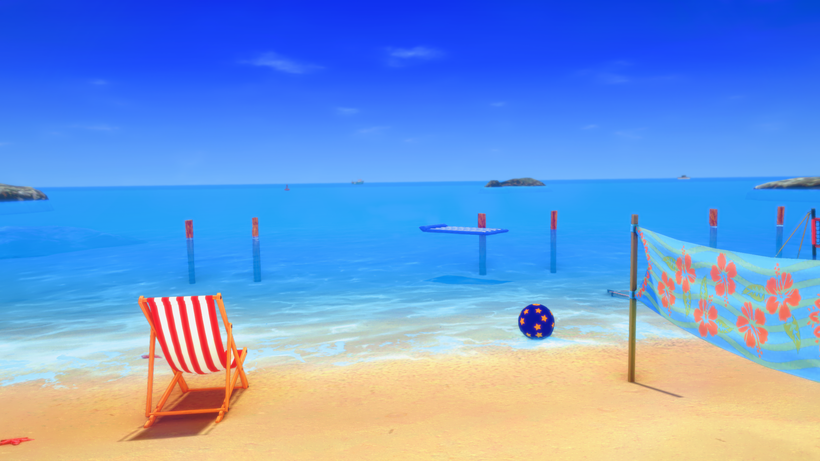
Day | CharaStudio 6:
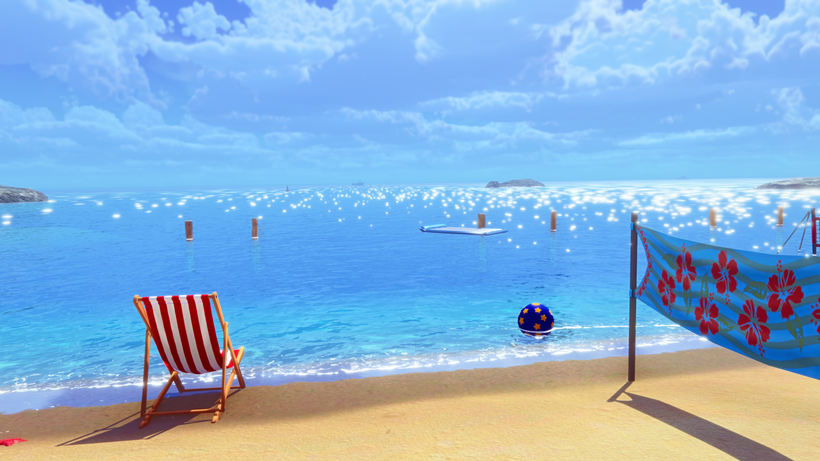
Night | old CharaStudio:
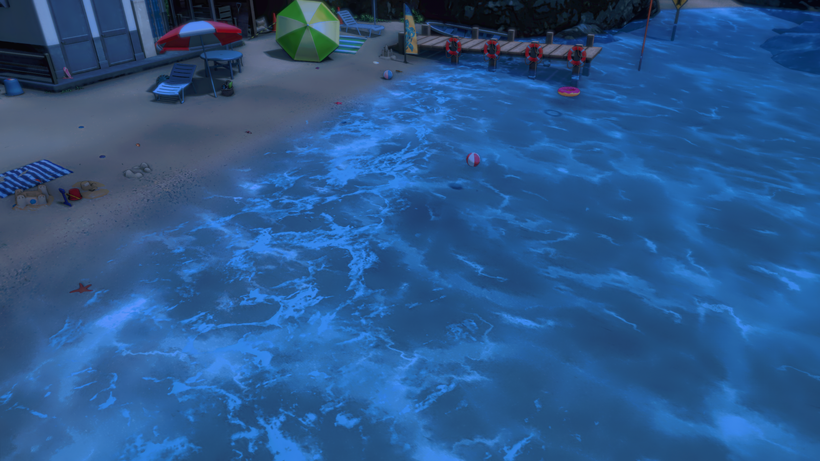
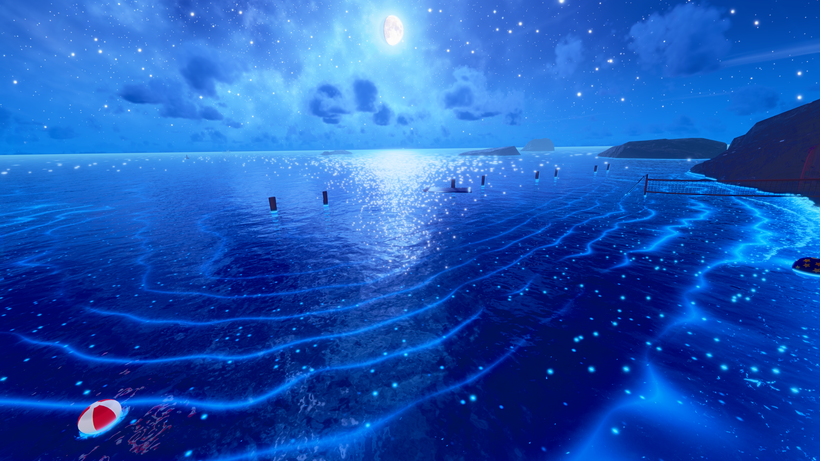
Night | CharaStudio 6:
The sky is new: real volumetric clouds, a sun that changes size and color with its height, and a proper night with a moon (with phases), the Milky Way and stars that twinkle.
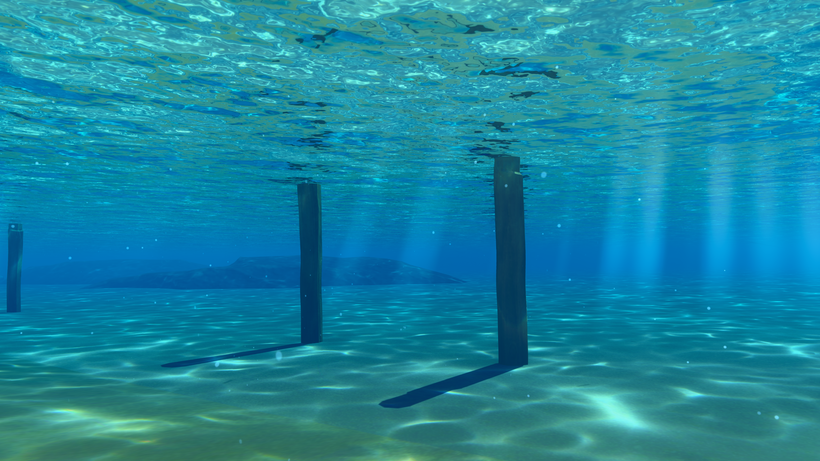
The water is new too. It reflects the sky and everything around it, foam forms where the waves meet the shore, and caustics throw patterns of light across the seabed. You can also take the camera underwater now.
And at night, the water can glow. Bioluminescence lights up the waves and the shoreline, because if I'm rebuilding the ocean anyway, I might as well overdo it. (The glow is turned up in this shot to show what it can do.)
The old studio already had sun shafts, but its panel basically gave me a couple of colors to pick. So they got rebuilt too: when the sun slips behind a palm or a roof, beams fan out through the gaps in the leaves, and I can finally control how strong they are, how far they reach and how soft they look.
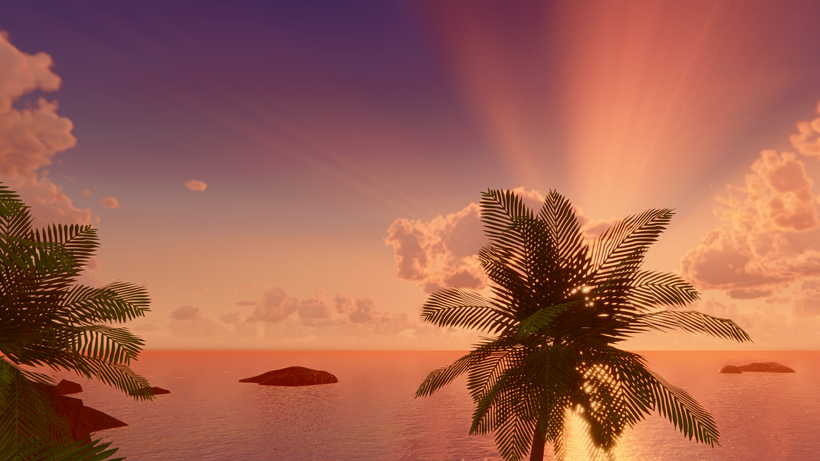
On top of that, there's haze that gives distant parts of the island some depth, plus rain with wet surfaces, puddles and ripples.
Before We Go On
A quick disclaimer for the rest of this post, before someone who knows these tools beats me to it in the comments: a lot of what follows isn't brand new. Breasts and hair already had physics, and there were plugins for face shadows, smoother models, posing and plenty more, a few of them my own. Those plugins carried my renders up to this point, and I wouldn't have gotten this far without their authors.
The difference is where it all lives and how far it goes. Before, most of it came from separate plugins written for an engine nobody could change, and they didn't always get along. Now it's part of the editor itself, built to work together, and in most cases it goes a good step further than what I had. I'll try to be clear about what's actually new and what's just the same thing done properly.
Characters
My characters already looked pretty good in the old editor, so don't expect a night-and-day difference here. This is refinement.
The skin has a new shader, aiming for the clean anime look of games like Wuthering Waves. Alternative skin shaders existed before (and I used them), but this one was built for this engine and my lighting. It still reads every setting from the original character cards, so every girl keeps her own skin tone, gloss and details.
Faces now use designed shadow shapes that sweep across them as the light moves, the way anime faces are drawn. The idea isn't new (there was a plugin for it), but now it's part of the skin shader itself.
Each character also gets a high-quality shadow map of its own, so shadows on bodies stay sharp no matter how big the scene around them is.
The outlines were rebuilt from scratch too. The old ones broke through folds, left dark triangles on thin clothing and turned into specks at a distance. The new ones keep an even weight and stay clean on moving characters.
The models got some help as well. Koikatsu's characters are low-poly by today's standards, so every curve is really a row of straight segments with a corner at each vertex, and you can see it on fingers, shoulders and hips. Tessellation isn't new either (community shaders had it), but here it adds geometry only along the silhouette, where you can actually see it, so skin, hair and most clothes stay round even up close.
Outlines | Smoothing OFF:
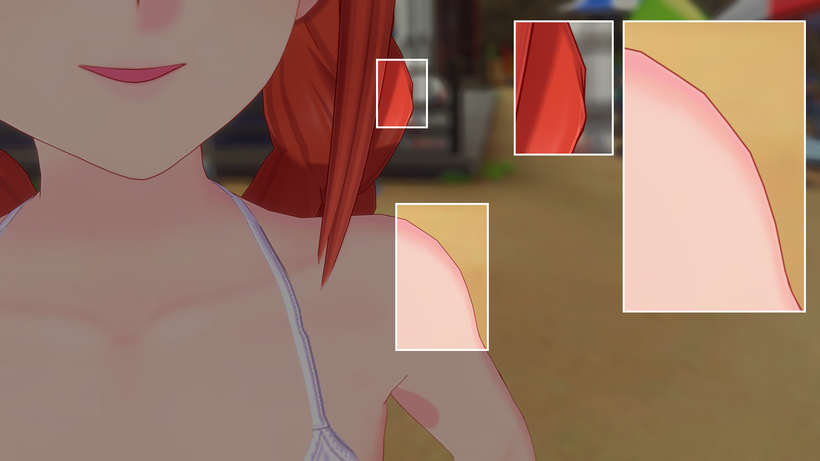
Outlines | Smoothing ON:
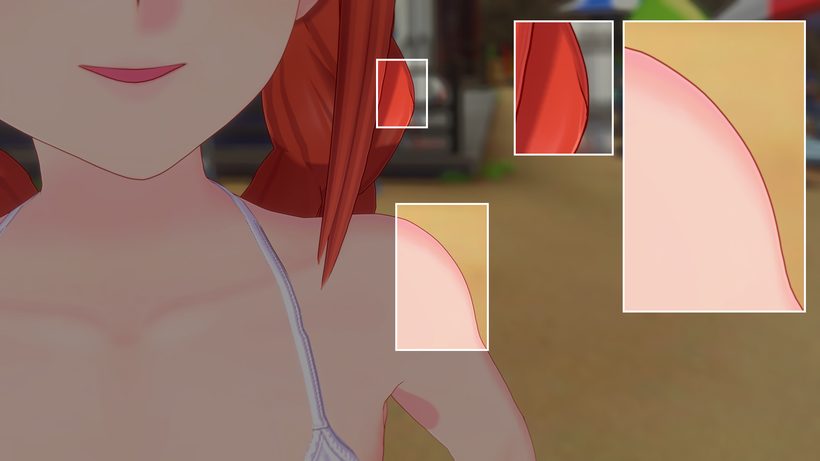
Bodies in Motion
Here's the part that matters most for an adult visual novel.
Koikatsu already had physics for breasts, butts, hair and skirts. They swing and bounce. What it couldn't do was make the skin itself give way. In CharaStudio 6, press fingers into a thigh or a hip and the surface dents around them instead of the fingers sinking through, then wobbles back when the hand lets go. The mesh also splits finer around each press so the dent stays smooth, which is what you see in the wireframe part of the clip. That works for a character's own hands and for other characters' hands too. Thighs, belly, calves and upper arms also got their own subtle jiggle, which the base game doesn't have.
Still a work in progress, and the wobble is exaggerated on purpose.
Clothes can finally be grabbed too. For the old CharaStudio I wrote a plugin I haven't shown you yet, called Interaction Studio, which lets me pull clothing around on a character. In CharaStudio 6 it's part of the editor, and it learned a new trick: fingers can pin fabric and hold onto it, so the cloth follows the hand through an animation. Before, a piece of clothing was either on, half off or off. Now that limit is gone.
The one that's new to the studio: fluids. The old studio only had liquid textures painted onto the skin. Now there are actual simulated strands and droplets that stretch, hang and drip, follow moving characters, and can be animated and frozen for static renders.
And while the new editor stays with me, the old one isn't being left behind: I'll be releasing all my plugins for the old CharaStudio to the community, completely free.
Posing & Faces
This part is less flashy, but it's the one that matters most for my sanity.
For posing and faces I already leaned heavily on my own plugins: Pose Control Studio and Face Control Studio. They worked, but the posing side sat on top of the base game's body solver. So CharaStudio 6 got a new rig built from scratch, and a good part of those tools moved into it.
Posing has two modes: FK, where I rotate each joint myself, and IK, where I drag a hand or foot and the rest of the limb follows. In the old editor, switching from FK to IK made the pose snap, unless I remembered to press a copy button first. Now the pose stays where it is when I switch, and that works for each arm and leg on its own.
Rotating the hips and chest isn't new (KKSPE could do it), but now it's part of the rig itself, and the hands and feet stay where they are while I do it. The rig also has quicker controls for feet and fingers: roll, bank and twist on a foot, and handles on the fingertips.
Hands also settle onto things automatically now. Put a hand on a thigh or a shoulder and the fingers bend to the surface that's really there, instead of me bending fifteen finger joints one by one... per hand.
Face Control Studio used to work from a panel: pick a lid, a brow or a lip, then move it with sliders. In CharaStudio 6 the handles sit on the face itself, so I grab an eyelid or a mouth corner and drag it where I want it.
There's also more to grab. Koikatsu heads have no jaw bone, so I built one: it drops the chin and carries the lower teeth and tongue with it. Upper and lower teeth move separately, each lip moves on its own, and the tongue can be shaped instead of just moved: it can stick out, point, curl and bend.
Posing and expressions are where most of my rendering time goes, since every render in an event needs both. Better tools here should mean better-looking events.
Outro
Honestly, I wasn't even sure how to start this post after being quiet for so long. There's a ridiculous amount of work behind everything you've just seen. Still plenty more I could show, but I figured I'd save some of it for another post instead of cramming everything into this one.
If anyone ever asks what addiction passion looks like, just send them this post.
I also know a lot of you kept supporting the project that whole time, with very little to show for it. I really appreciate that.
I've also realized I should probably share more of what I'm working on, even when it's rough around the edges. Watching things come together would be a lot more interesting than me disappearing for months and suddenly showing up with an entirely rebuilt editor.
Thank you for sticking around.
Cheers!
Visq