

 Log in
UPDATE- Where I've Been/Future Plans/The Hive Issues
Hey there everyone. Hope you've been alright, I know it's been a long time since I've shared an update with you all. The last couple months have been rough to say the least.
Liliana (my fiancée) has been going through a multitude of serious health concerns which have left us in quite a bit of unexpected medical debt. Still don't have all the answers we need, which isn't easy. Been taking on more side gigs and things in the meantime, which has taken up a lot of my free time. On top of this, we had to unfortunately have my 17-year old cat put down last week. He has been slowing down for the past year- likely a form of undiagnosed GI cancer- but there was not much we could do, and it was just his time. I've been trying to find my new normal, but there's a huge void in my life now.
Onto the technical side of things, I'm gonna be honest, I've got some pretty disappointing news to share.
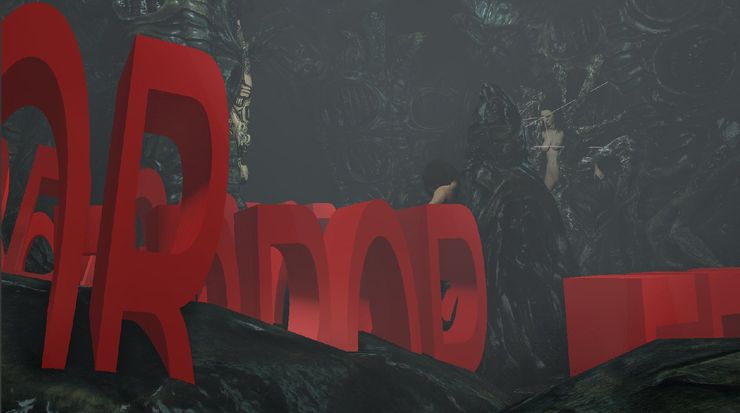
About 3 weeks ago, I discovered that a dozen or so projects (including the OG Miranda scene) from "The Hive" contained an alien-egg model from the Steam workshop that was recently removed by the uploader. Upon checking, I can no longer open most of these projects without instantly crashing SFM because of the memory limit. I'm working on trying to recover these projects as best as I can, but have not had much luck as of yet. I am still troubleshooting.
At this point, I'm left with only a couple options:
- Attempting to rebuild every actual "hive" scene from scratch and dealing with massive inconsistencies between shots which will reset most of my progress, or...
- Just refocusing my energy/moving on to something else for right now. Not giving up on it, but I may need to regroup and take a break from The Hive in order to avoid the burnout.
I can imagine how incredibly disappointing this is to hear, but just know it's a fraction of what I'm feeling on my end. I've been promising this project for years and just had it kinda blow up in my face. I'm still very committed to finishing this story, but I'm open to hearing what y'all would like to see from me going forward.
In the meantime, I've been working on some *new* small projects the last week or so, just to keep my creative side running including a Choose-Your-Ending animation with Jill Valentine and another Predalien short.
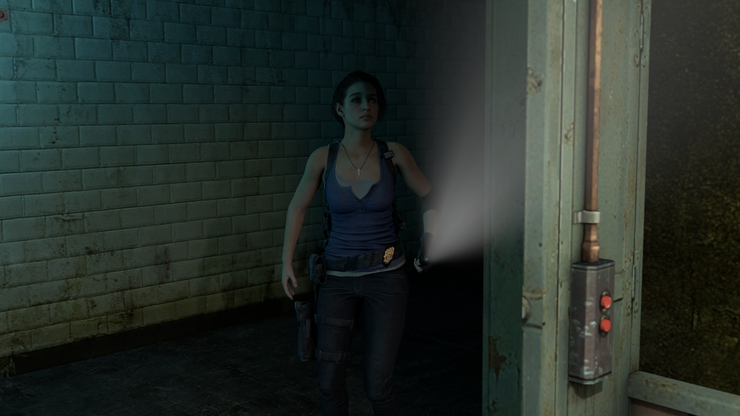
Will be posting some more teasers of these in the next few days! Thanks for sticking by me, I couldn't imagine getting through all this shit without your support. I promise I will make it up to you all, one way or another. It just may take a little time. Thanks for understanding, y'all.
Much Love,
Erieman2
Much Love,
Erieman2




Thats one thing I REALLY hate about the Steam Workshop.
If something gets removed from it, they just yoink it from you as well.
It has broken more than one Kenshi run for me.
But that aside, I wish you and your fiancé all the best.
Oh, and you might be able to recover the SFM projects like this;
"you can edit Source Filmmaker (SFM) project files (.dmx) without opening the software.
SFM save files are written in a structured text or binary format that you can open and edit using external text editors.
This is the standard way to rescue a corrupted session or remove a broken model that crashes the program upon loading.
Step 1: Open the Project FileGo to your SFM projects folder (usually Steam\steamapps\common\SourceFilmmaker\game\usermod\elements\sessions\).Back up your original .dmx file by making a copy of it before making changes.Open the .dmx file using a advanced text editor like Notepad++ or VS Code.Note: If the file opens as a scrambled mess of unreadable characters, it was saved in binary format. You must first drag and drop the .dmx file onto dmxconvert.exe (found in your SFM game/bin directory) to convert it into human-readable text.
Step 2: Locate the Broken ItemUse the search shortcut (Ctrl + F) inside your text editor.Search for the exact name of the model or asset that is causing the crash (e.g., my_broken_model.mdl).You will find the item nested within an element group, usually listed under animation sets (DmeAnimationSet).
Step 3: Remove the ReferenceDepending on how clean you want the fix to be, you have two options:The Quick Fix: Change the file path string of the model to a known working model (like an official Valve model, e.g., models/error.mdl or a simple cube). This tricks SFM into loading a safe asset instead of crashing.The Clean Fix: Carefully delete the entire code block (element) associated with that specific animation set. Ensure you delete matching opening and closing brackets so you do not break the file structure.
Step 4: Save and TestSave the text file.If you had to convert it from binary earlier, convert it back using dmxconvert.exe (though SFM can often read text-based .dmx files directly).Launch SFM and attempt to open your session."
Hope it helps. :D
Try contacting the egg model fella. He might be willing to reupload it long enough for you to replace the models? If sfm even works that way.
Honestly, I'd just move on if that isn't an option. If we could survive however many james bonds as there have been, I think we could live with new scenes not matching up perfectly and even if the source files are gone, we still have the existing videos.
Don't worry about us, I'm sure a lot of us are pretty patient. Focus on you and your fiancee, we'll be here when the time is right.
Damn man, thats rough, take all the time you need, I hope everything will get better for you
lol shepherd their seems to be a lot of errors in here